Convert PDF to dark mode online
Published: December 29, 2025
Quick answer
“Online PDF dark mode” usually means one of two things: (1) a temporary preview in dark mode while you read, or (2) converting the file and downloading a new dark PDF. If you need to share the result or use it offline, you want the second option.
Step-by-step: convert and download a dark-mode PDF
- Open Invert PDF Colors.
- Upload your PDF.
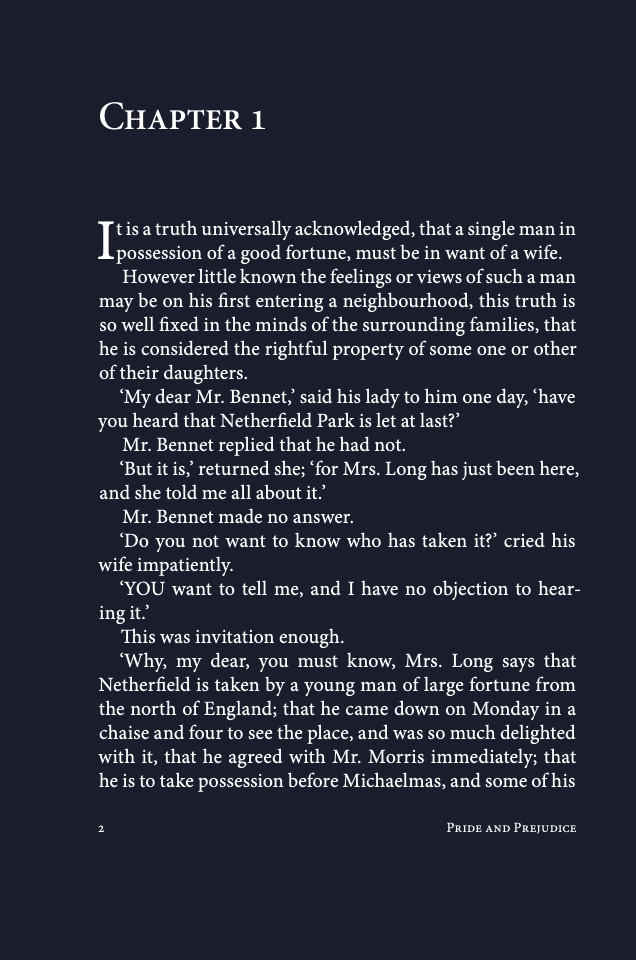
- Preview the first pages and choose a theme: Warm / Classic / Blue / Green.
- For a stronger photo-negative look, choose Invert (Negative) (complementary colors).
- Click convert and download the new PDF.
Example theme preview
When you should use the reader instead
If you don’t need a new file and you just want to read more comfortably, use the PDF Dark Mode Reader. It’s faster for quick reading sessions.
Theme guidance (so results don’t surprise you)
- Warm: softer, cozy tint for night reading.
- Classic: simple dark background style.
- Blue / Green: cooler looks for preference or contrast.
- Invert (Negative): looks like a photo negative (complementary colors) and is a stronger effect.
FAQ
Is this really "online" if processing is local?
You use the tool in the browser (online), but the PDF processing can still happen locally on your device. That's often the best of both worlds: convenience plus privacy.
Will my original PDF change?
No. The reader previews without changing your file. The converter creates a new downloadable PDF.
Why does Invert (Negative) look so different?
Because it flips colors into their complementary values. It's intentionally more dramatic than reading themes.